
Cloud vs On-Premise: Retail Media Content Management Systems
Compare cloud and on‑premise CMS for retail media networks — costs, scalability, security, deployment time and total cost of ownership.
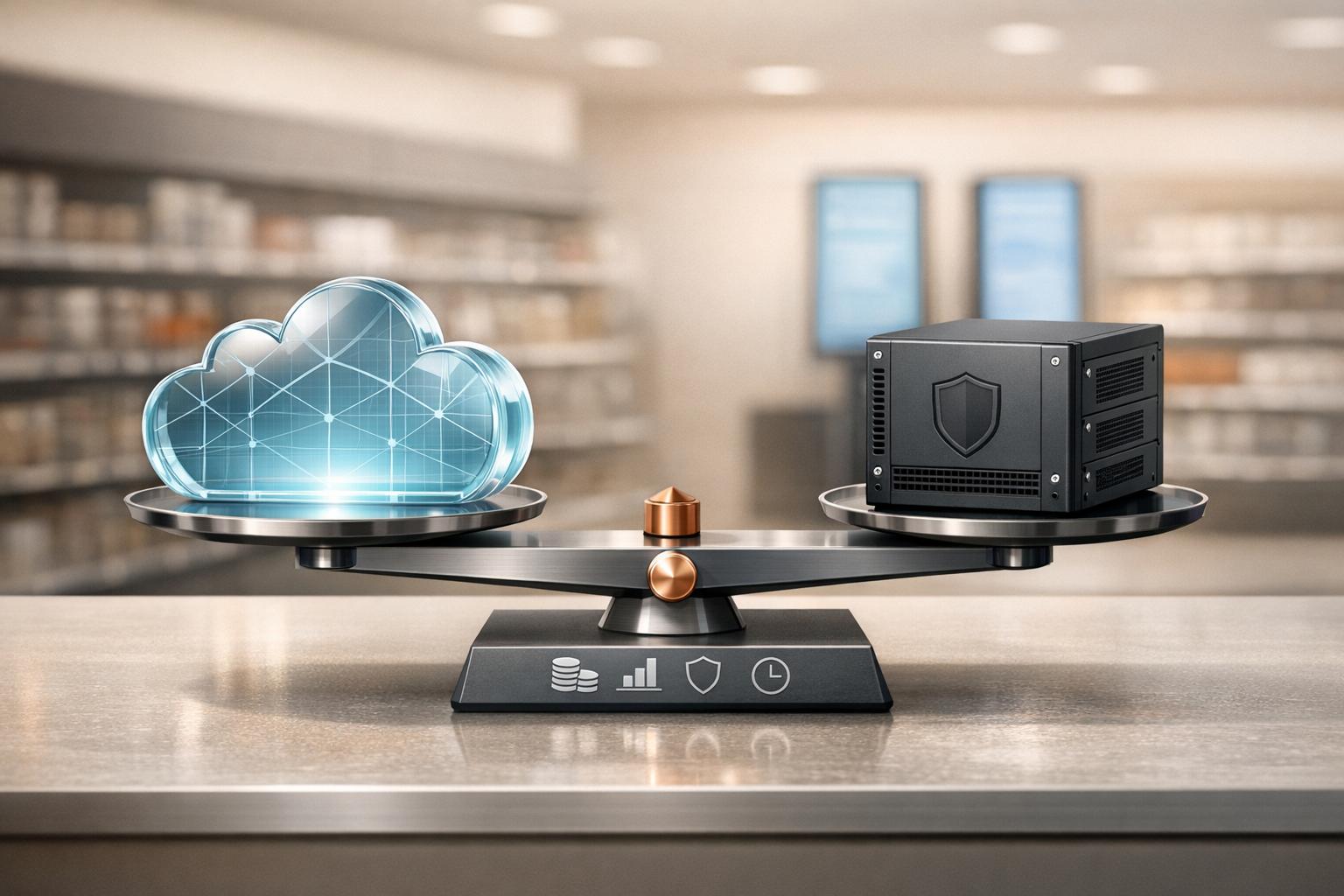
Cloud vs On-Premise: Retail Media Content Management Systems
Choosing between cloud-based and on-premise content management systems (CMS) for retail media networks comes down to your priorities: scalability, cost, and control. Here's a quick breakdown:
- Cloud-based CMS: Low upfront costs (AU$5,000–AU$10,000), subscription pricing (AU$20–AU$30 per screen/month), easy scalability, and provider-managed maintenance. Ideal for rapid deployment and networks with limited IT resources.
- On-premise CMS: High initial investment (AU$55,000–AU$120,000), long-term cost stability, complete data control, and customisation options. Requires in-house IT teams and is better suited for strict security or compliance needs.
A cloud-based CMS is perfect for growing retail networks that prioritise flexibility and automation. On-premise systems, while costlier upfront, offer unmatched control and are well-suited for industries with stringent data requirements.
Quick Comparison
| Factor | Cloud-Based CMS | On-Premise CMS |
|---|---|---|
| Initial Costs | Low (AU$5,000–AU$10,000) | High (AU$55,000–AU$120,000) |
| Monthly Costs | AU$20–AU$30 per screen | Maintenance: 10–22% of setup |
| Scalability | Instant, via dashboard | Requires new hardware |
| Maintenance | Managed by provider | Handled by internal IT |
| Security | Shared responsibility model | Full data control |
| Deployment Time | Hours to days | Weeks to months |
For retail networks focused on growth and efficiency, cloud-based systems are the practical choice. On-premise solutions work best for organisations prioritising security and long-term cost stability.
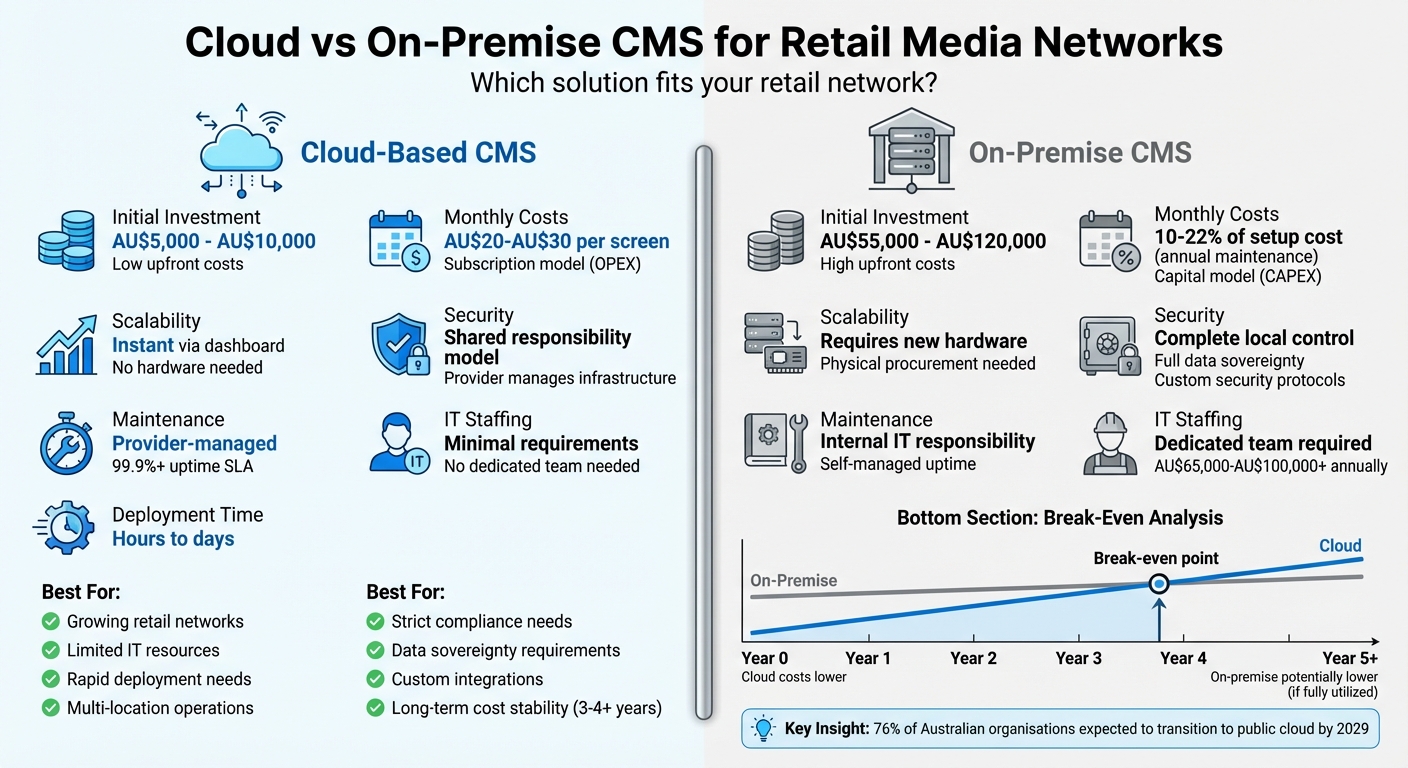
Cloud vs On-Premise CMS for Retail Media: Cost, Scalability & Security Comparison
Cloud-Based CMS for Retail Media: Features and Benefits
A cloud-based CMS runs on provider-managed remote servers, offering businesses the ability to scale effortlessly while integrating with cutting-edge advertising technologies.
Scalability and Remote Access
One of the standout advantages of cloud systems is how they simplify expansion. Retail media networks can add new screens, locations, or users without the need for complex physical infrastructure. Even better, these platforms often work seamlessly on consumer-grade devices like iPads, tablets, or laptops, making it easy to grow operations using readily available hardware.
Another major benefit is centralised management. With a cloud-based CMS, operators can handle everything - scheduling, content updates, and monitoring - across thousands of screens from a single web-based interface. This capability is particularly relevant in Australia, where over 76% of organisations are expected to transition their IT infrastructure to the public cloud by 2029.
Cloud platforms also provide on-demand resource allocation. They scale automatically to meet real-time demand, such as during Boxing Day sales, when traffic spikes. Once the rush is over, the system scales back down, ensuring efficiency without requiring manual adjustments. This dynamic scalability not only supports operational flexibility but also keeps costs in check - a topic explored further in the pricing section.
Lower Initial Costs and Subscription Pricing
Unlike traditional on-premise systems, cloud-based CMS operates on an OPEX model, eliminating the need for hefty upfront investments. Initial setup costs typically range between $5,000 and $10,000, with monthly subscription fees of $20–$30 per screen. For comparison, on-premise solutions often require a starting investment of $55,000–$120,000 for servers and licences.
"Cloud-based CMS hosting shifts spending from upfront CapEx to predictable, pay-as-you-go OpEx (operating expenditures)." – John Iwuozor, Cybersecurity and B2B SaaS Writer
These subscription fees usually cover hosting, support, and updates, costs that would otherwise amount to 10–22% of the initial licence fee in an on-premise model. By 2025, organisations are projected to allocate nearly half (49%) of their IT budgets to cloud environments, underscoring the financial appeal of this approach. The shift to cloud-based systems not only reduces costs but also enables faster deployments and more agile day-to-day operations.
Integration with Programmatic Advertising and AI Tools
Cloud CMS platforms are designed for seamless integration with programmatic advertising systems via APIs and composable cloud accelerators. This allows retailers to automate inventory sales and optimise revenue streams. Additionally, AI-driven tools enhance audience targeting by analysing demographics, behaviours, and proximity, while predictive modelling helps fine-tune campaigns in real time.
These integrations also enable automated content updates. For instance, digital signage can dynamically adjust pricing and promotions based on stock levels. Retailers leveraging cloud-based programmatic and AI tools have reported revenue increases of 15–30%. Campaign performance can even double when using cloud-based AI and data tools to power retail media efforts.
sbb-itb-c231c83
On-Premise CMS for Retail Media: Features and Benefits
On-premise systems stand out from cloud solutions by offering unmatched control, specifically tailored to meet stringent security and customisation needs. While the upfront costs ($55,000–$120,000) may seem steep, they ensure full control over the system and allow for custom integrations. This makes them ideal for organisations with strict compliance, security, or unique operational requirements.
Complete Data Control and Custom Configuration
On-premise systems give retailers full control over how their data is stored and managed. All critical components - such as the CMS, media servers, and databases - are hosted within the organisation’s IT environment, safeguarded by internal firewalls and security protocols. This setup allows seamless integration with internal enterprise systems like SAP, Oracle ERP, Power BI, and bespoke databases, eliminating the need for internet-facing endpoints.
The customisation options don’t stop at integrations. Retailers can design bespoke approval workflows and user interfaces to meet their unique policy needs. For example, in February 2026, Flight Centre Travel Group’s Americas division adopted the Nintex K2 on-premises platform to streamline complex cross-system processes. Under the leadership of Nick Williams, Head of Digital Workplace, the company cut onboarding times by over 80%, while keeping all data within a secure internal infrastructure to meet global governance standards.
"Nintex K2 gives us the flexibility to design and control complex processes in a way that fits our business." – Nick Williams, Head of Digital Workplace, Americas, Flight Centre Travel Group
Additionally, local caching ensures that digital signage remains functional even during connectivity disruptions or in areas with limited network access. This level of control naturally extends into robust compliance and security management.
Compliance and Security Control
With on-premise systems, retailers assume full responsibility for security - along with complete control. Unlike cloud solutions, which rely on a "shared responsibility" model, self-hosted platforms allow organisations to manage their own security measures, audit trails, and data residency policies. This is especially critical in highly regulated industries like healthcare, finance, and government, where data sovereignty is a top priority.
By hosting the CMS locally, retailers avoid sharing sensitive customer data with third-party vendors, significantly reducing privacy risks. The physical isolation of on-premise servers also shields them from threats targeting multi-tenant cloud environments. For identity management, approvals, and compliance audits, on-premise deployment offers unmatched transparency and control.
"Organisations running complex business processes need automation platforms that can adapt to their specific requirements while maintaining the security and control that on-premises deployment provides." – Niranjan Vijayaragavan, Chief Product and Technology Officer, Nintex
Beyond security, the financial structure of on-premise systems offers a different approach compared to cloud-based models.
Capital Expenditure and Long-Term Cost Stability
On-premise systems operate under a capital expenditure (CapEx) model, requiring an initial investment but offering cost stability over time. Perpetual server licences typically cost $1,000–$1,500, with an additional one-time fee of $250–$400 per screen for lifetime use. However, annual maintenance and support fees range from 10–22% of the upfront cost.
The break-even point compared to cloud solutions usually occurs after three to four years. Retailers must also budget for ongoing costs, including at least one full-time administrator with an annual salary of $65,000–$80,000, as well as energy and facility expenses that add 10–15% to yearly operational costs. Additionally, hardware refresh cycles every three to five years require careful planning.
For organisations with existing virtualisation and storage infrastructure, these costs can be mitigated by leveraging current resources. However, it’s essential to have in-house IT expertise to handle security patches, hardware upkeep, and continuous monitoring - since all responsibilities rest entirely with the retailer.
Cloud vs On-Premise CMS: Direct Comparison
When deciding between cloud-based and on-premise CMS options, it helps to weigh the differences in cost models, scalability, and management requirements. These factors will determine which solution aligns best with your retail media strategy.
A key distinction lies in the financial model. Cloud systems operate on Operational Expenditure (OPEX), offering predictable monthly subscriptions. On the other hand, on-premise solutions rely on Capital Expenditure (CAPEX), which involves high upfront costs but can lead to savings over time, typically after three to four years of use.
Scalability and Maintenance
Cloud-based systems allow for instant scalability through a simple dashboard interface. In contrast, on-premise systems require additional hardware purchases, which can delay deployment. Maintenance also varies significantly: cloud providers handle updates, security patches, and monitoring as part of their service. With on-premise systems, the responsibility falls entirely on internal IT teams, which often necessitates employing dedicated staff costing between AU$65,000 and AU$100,000 annually.
"By sinking time, money and effort into undifferentiated infrastructure management, you're stealing focus from the things that really drive your business forward... You're paying your team to be server babysitters, not innovative digital leaders." – John Iwuozor, Cybersecurity Writer
Security and Data Control
Cloud systems follow a shared responsibility model, where providers manage infrastructure security while users control data access and permissions. On-premise systems, however, offer full physical control over data and security protocols, which is often critical for industries with strict regulatory requirements. It's worth noting that organisations using on-premise solutions are nearly twice as likely to face ransomware attacks compared to those using cloud services.
Cost Efficiency
On-premise systems may achieve cost efficiency after three to four years of operation, provided the infrastructure is fully utilised. However, many on-premise servers operate at only 60% capacity, representing wasted resources. Cloud solutions eliminate this inefficiency with pay-as-you-go pricing. That said, frequent 4K video updates can increase cloud costs due to data egress fees, which range from AU$0.08 to AU$0.12 per GB.
Comparison Table: Cloud vs On-Premise CMS
| Factor | Cloud-Based CMS | On-Premise CMS |
|---|---|---|
| Initial Investment | Low (AU$5,000–AU$10,000 setup) | High (AU$55,000–AU$120,000) |
| Financial Model | OPEX (Subscription) | CAPEX (Capital Purchase) |
| Monthly Cost per Screen | AU$10–AU$100 (average AU$20–AU$30) | Maintenance: 10–22% of initial cost annually |
| Scalability | Instant via dashboard | Requires hardware procurement |
| Deployment Time | Minutes to hours | Days to weeks |
| Maintenance | Provider-managed | Internal IT responsibility |
| Security Control | Shared responsibility | Complete local control |
| Uptime SLA | 99.9%+ guaranteed | Self-managed (downtime costs AU$5,600/minute) |
| Data Sovereignty | Provider-dependent | Full control over location |
| IT Staffing | Minimal | Dedicated team required (AU$65K–AU$100K+) |
Deployment and Operational Management
For retail networks, cloud platforms enable rapid deployment. For example, in June 2025, InvestorCom transitioned to Progress Sitefinity Cloud. This shift allowed a downsized team of three to manage over 40 company websites, a task previously requiring more than 40 staff. The result? Faster content updates and easier management for non-technical users.
On-premise systems, by contrast, demand physical hardware setup and integration with enterprise tools like SAP or Oracle ERP. This process requires significant technical expertise and can delay operations by weeks. However, on-premise systems are less dependent on internet connectivity, making them suitable for regions with unreliable networks.
For multi-location operations, cloud systems offer centralised management from virtually anywhere with an internet connection. On-premise systems often require local oversight or VPN access, which complicates management for geographically dispersed teams.
Cost Models: OPEX vs CAPEX
Cloud's OPEX model provides predictable monthly expenses, helping retailers align spending with revenue. Initial cloud setup costs range from AU$5,000 to AU$10,000, with monthly fees of AU$20–AU$30 per screen. For a 100-screen network, this translates to AU$2,000–AU$3,000 per month or AU$24,000–AU$36,000 annually.
On-premise CAPEX requires a higher upfront investment - around AU$41,250 - including servers (AU$15,000) and workstations (AU$18,000). Licences cost an additional AU$1,000–AU$1,500 for the server and AU$250–AU$400 per screen. Hidden costs, such as energy consumption, cooling, and hardware refresh cycles every three to five years, can add 10–15% to annual operational expenses.
"On-premise deployments give you total control over your environment... but there's a whole iceberg of hidden costs lurking beneath the surface." – John Iwuozor
Furthermore, opportunity costs must be considered. IT teams managing on-premise infrastructure often divert time from innovation to routine maintenance. For those with existing virtualisation capabilities, on-premise costs may be reduced by leveraging current resources. However, bandwidth usage remains a critical factor. High-frequency 4K video updates can inflate cloud OPEX, though strategies like H.265 compression and off-peak syncing can cut bandwidth costs by up to 50%.
Adflux CMS: Cloud-Based Platform for Retail Media Networks
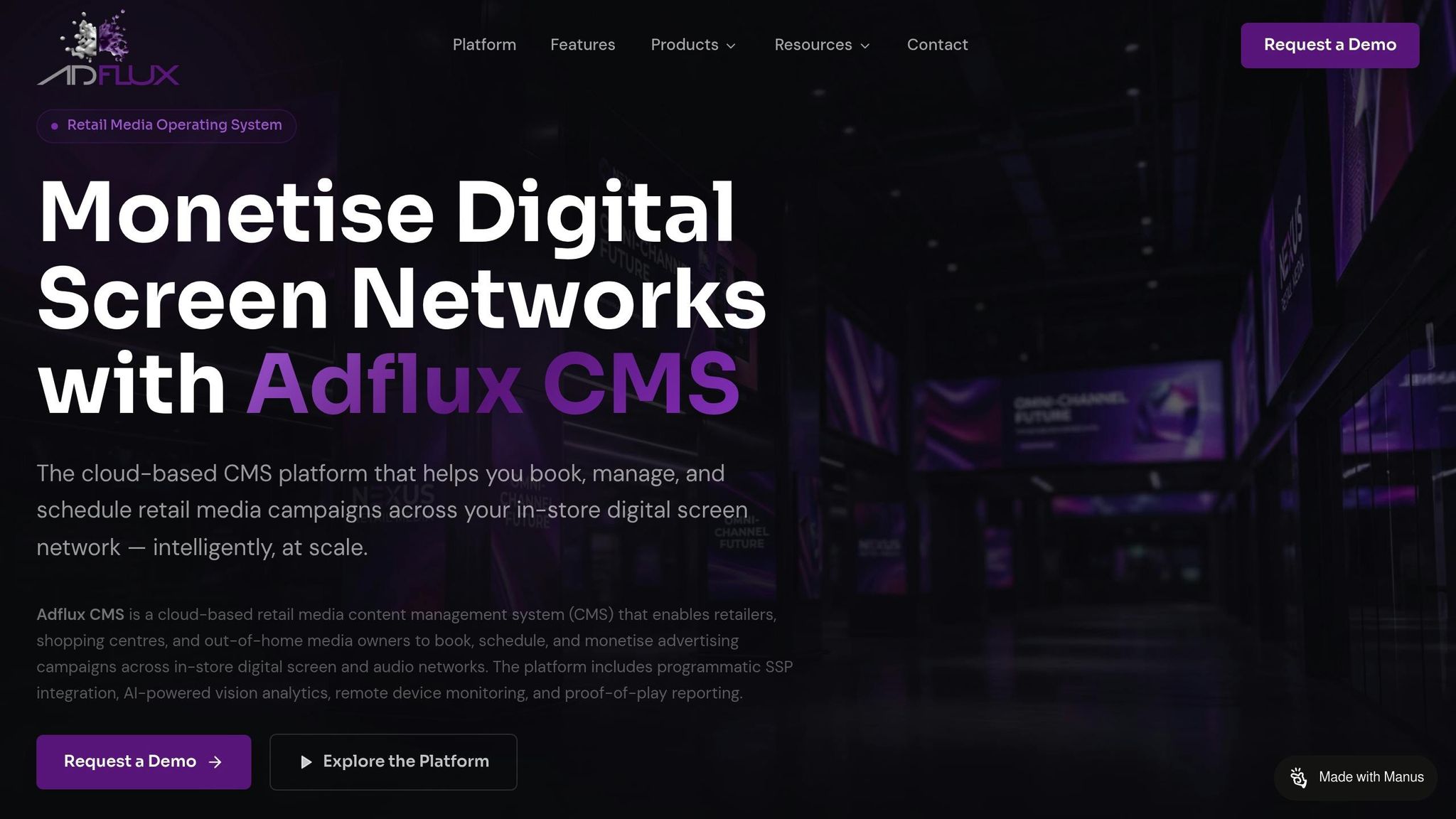
Adflux CMS is a cloud-based solution designed to manage digital signage across multiple retail locations. It allows retailers to oversee their entire signage network through a single, web-based dashboard. By eliminating the need for on-site servers, the platform simplifies operations while supporting growth and scalability. This centralised approach also sets the stage for seamless integrations and enhanced user controls.
One standout feature is bulk screen grouping, which lets retailers organise displays by region or store type. Instead of updating screens one by one, users can push promotions to hundreds of screens at once, making it perfect for time-sensitive campaigns. For example, during peak trading periods, retailers can quickly roll out regional offers. Its "set-and-forget" scheduling feature also allows users to plan content weeks or even months in advance.
Programmatic Integration and Real-Time Analytics
Adflux CMS connects directly with programmatic marketplaces, automating media sales through direct partnerships. Its tools expose ad inventory to real-time bidding systems, targeting an average response time of just 50ms. The platform also uses AI-powered audience targeting, combining first-party and third-party data to create detailed customer profiles based on demographics, behaviours, and locations.
A digital signage API ensures that screens only display relevant offers by syncing with inventory databases, preventing the promotion of out-of-stock products. Advanced sensor integrations add another layer of functionality, enabling tools that can estimate customer age or measure how well products are resonating with target audiences. On top of this, real-time performance metrics provide detailed insights for ROI reporting.
Multi-User Permissions and Brand Safety Controls
Adflux CMS also simplifies user management and ensures brand safety through its multi-user governance tools. Different employees can be assigned specific permission levels, with management maintaining full administrative access while local teams handle day-to-day tasks.
"With multi-user support, businesses can easily assign accounts with varying permission levels to relevant employees." – Adflux Australia
The platform includes a self-service portal that allows brand partners and media agencies to manage their campaigns within pre-set boundaries. This not only reduces the workload on internal teams but also ensures campaigns align with brand safety standards. These features make campaign deployment quicker and more efficient across the network.
Hardware Compatibility and Remote Monitoring
Adflux CMS supports a variety of media players and system-on-a-chip (SoC) solutions, offering flexibility for retailers who want to use their existing hardware. The platform customises content for specific hardware setups, ensuring high-quality playback across different screen types and locations.
Its remote monitoring tools are another major advantage. These tools allow managers to check the last image displayed on each screen and monitor connectivity status, even for screens located in different cities. This eliminates the need for physical store visits, saving time and cutting operational costs. The system is also built to handle up to 10× traffic spikes during high-demand events like Black Friday, ensuring uninterrupted performance when it’s needed most. Additionally, its API-driven design enables integration with external data sources, allowing retailers to expand functionality as their requirements change.
Choosing the Right CMS for Your Retail Media Network
Factors to Consider When Selecting a CMS
Selecting the right CMS involves assessing both your current network needs and your long-term goals. Scalability and IT resource requirements play a big role in this decision. Cloud-based systems are designed to grow with your network without needing additional hardware, while on-premise solutions require dedicated IT teams and a significant upfront investment in infrastructure.
Budgeting is another key factor. Cloud systems often operate on a predictable operating expense (OPEX) model, typically starting at around A$20 per screen per month. In contrast, on-premise systems come with higher upfront capital expenditure (CAPEX) for servers, licences, and other infrastructure. Don’t overlook the total cost of ownership - on-premise setups can rack up hidden costs like IT support, energy consumption, and hardware replacements over time.
Integration is equally important. A CMS that connects seamlessly with your existing systems - like POS platforms, inventory databases, and programmatic advertising tools - can automate content updates and streamline operations. These considerations - scalability, cost, and integration - are crucial, particularly for retail networks looking to expand. For many, cloud-based solutions stand out as the more practical choice.
Cloud-Based Solutions for Growing Retail Networks
If your goal is rapid deployment with minimal IT complexity, a cloud-based CMS is often the way to go. For retailers with limited IT resources, platforms like Adflux CMS can be implemented in a matter of days or weeks, compared to the months often required for on-premise systems.
"A cloud-based solution also may make sense if you want to control content at multiple properties from one central location." – Digital Signage Today
That said, on-premise solutions still have their advantages. They’re better suited to industries like banking or government, where strict data privacy regulations demand keeping sensitive information on-site. They also allow for a level of customisation that cloud platforms may not offer. However, for retail networks focused on growth, programmatic advertising, and operational efficiency, cloud-based solutions deliver the flexibility and automation needed to stay competitive in today’s fast-moving market.
FAQs
How do I choose cloud vs on-premise for my retail media network?
Choosing between cloud-based and on-premise solutions comes down to your specific needs, budget, and long-term goals.
Cloud solutions shine in dynamic retail settings, offering easy scalability, real-time updates, and smoother collaboration. They're great for businesses that need to adapt quickly or operate across multiple locations.
On the other hand, on-premise solutions provide greater control and stronger data security. However, they often come with higher upfront costs and don't scale as easily as cloud options.
Weigh your operational requirements, financial resources, and future plans carefully to decide which approach works best for your retail media network.
What’s the true total cost over 3–5 years for each option?
Over a span of 3–5 years, the total costs of cloud-based and on-premise CMS options can differ greatly, influenced by factors such as infrastructure, maintenance, and operational needs.
While on-premise solutions might appear more affordable at first, they often lead to higher long-term expenses due to ongoing maintenance, upgrades, and the need for dedicated IT staff. In contrast, cloud-based CMS platforms usually come with higher initial subscription fees but can save costs over time by reducing IT labour, minimising maintenance, and avoiding downtime. This makes their total cost of ownership (TCO) more predictable and, in many cases, lower.
How can I keep screens running if the internet drops out?
To keep your screens running smoothly during internet outages, opt for a CMS with offline functionality. This ensures your digital signage continues to display content even when connectivity is lost. You have two main options:
- Cloud-based systems with offline mode: These provide flexibility by syncing content whenever an internet connection is available, but they can still function without it.
- On-premise systems: These offer local control and independence from internet reliance, as all content and management happen within your network.
Selecting the right solution depends on your specific needs and setup, but either option can help you avoid disruptions in your digital signage.
Adflux Editorial
Retail media, programmatic DOOH, and digital signage insights for Australian retailers.
Ready to build your retail media network?
Talk to the Adflux team about how the platform can work for your screens.